
Skip to content
Dzumares
IMA

IMA · Inventory Management Ares

Control your stock. Grow your sales.

Stock, orders, sales, invoices and accounting in a single tool — for a small shop or a multi-company group.

Web · Desktop · Mobile

IMA
Sales and cash

How many items do you have in stock… right now?

If you need to call your storekeeper, open a notebook or count by hand, you are losing time — and sometimes money. With IMA, the answer is on your screen.

Before

  • Stock counted by hand
  • Goods leaving without control
  • Invoices re-typed at every step
  • Accounting done at year-end

With IMA

  • Real-time stock, by store and by zone
  • Every release requested, then approved
  • Quote → delivery → invoice in one click
  • Entries generated as you go

Real screenshots

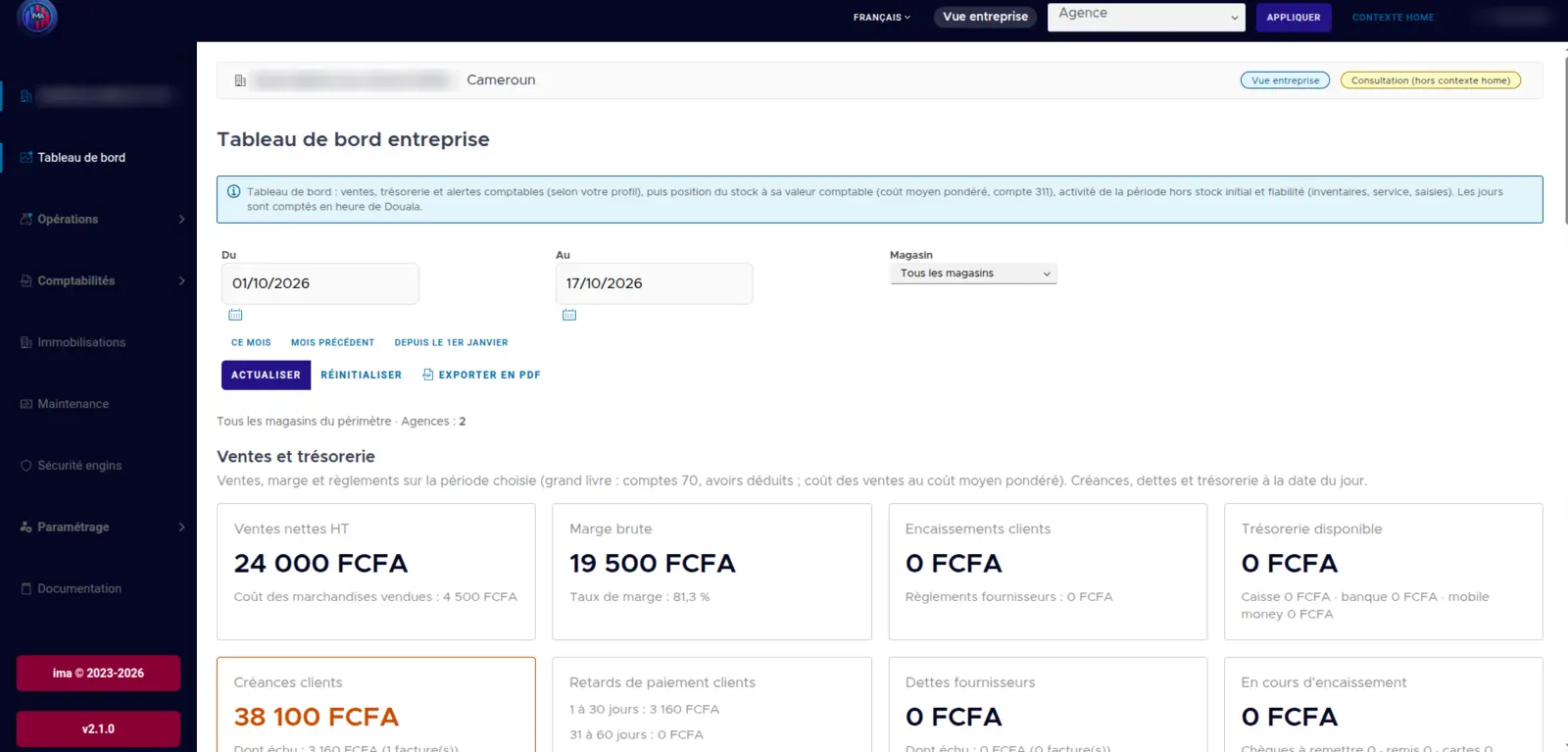
The IMA dashboard, for real

Your whole business on one screen: sales, cash, accounting and stock, in CFA francs, by branch and by store. The demo company name is hidden.

IMA
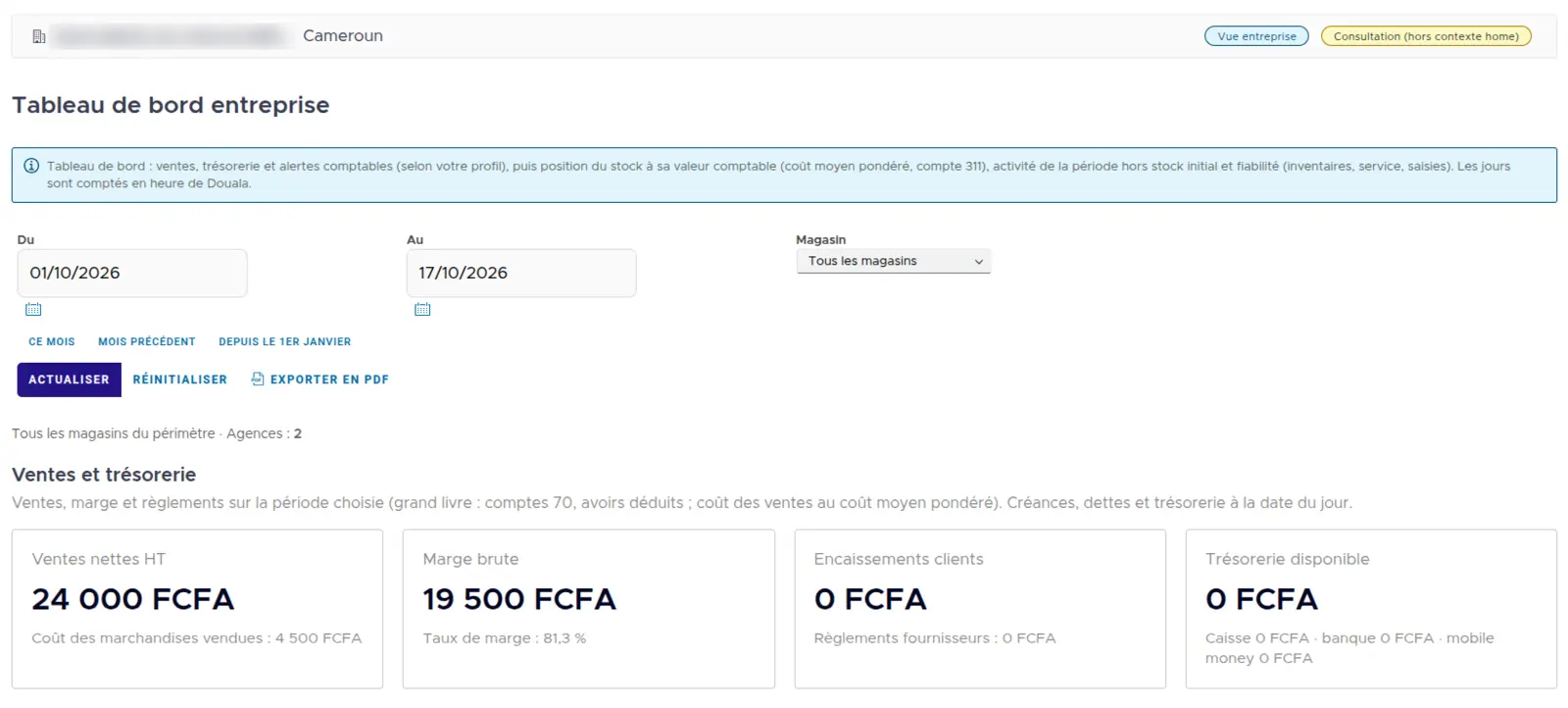
Sales and cash

Sales and cash

Net sales, gross margin, customer payments, receivables and overdue payments for the selected period.

IMA
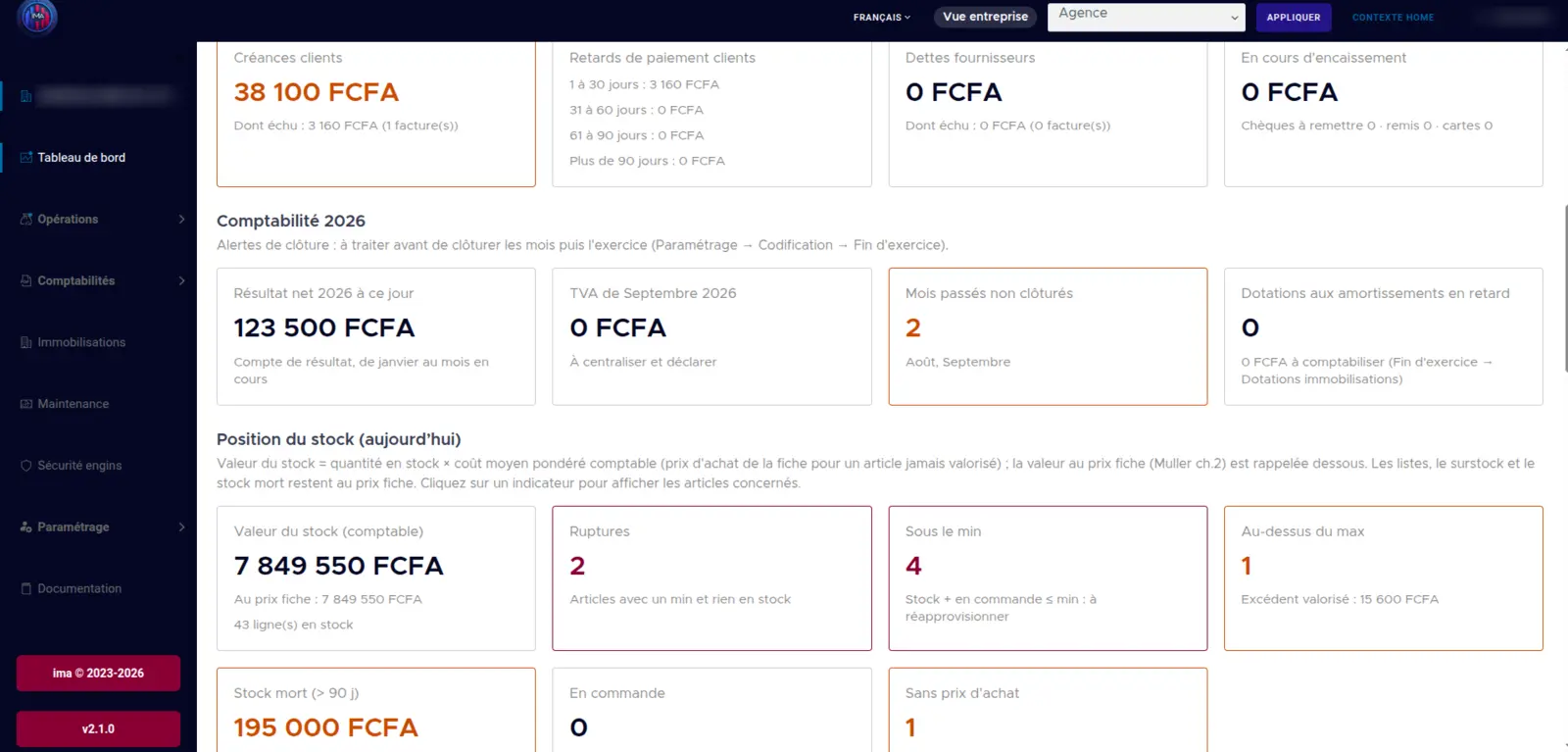
Accounting and stock position

Accounting and stock position

Net income, VAT to declare, unclosed months, stock value, stock-outs and items below minimum.

IMA
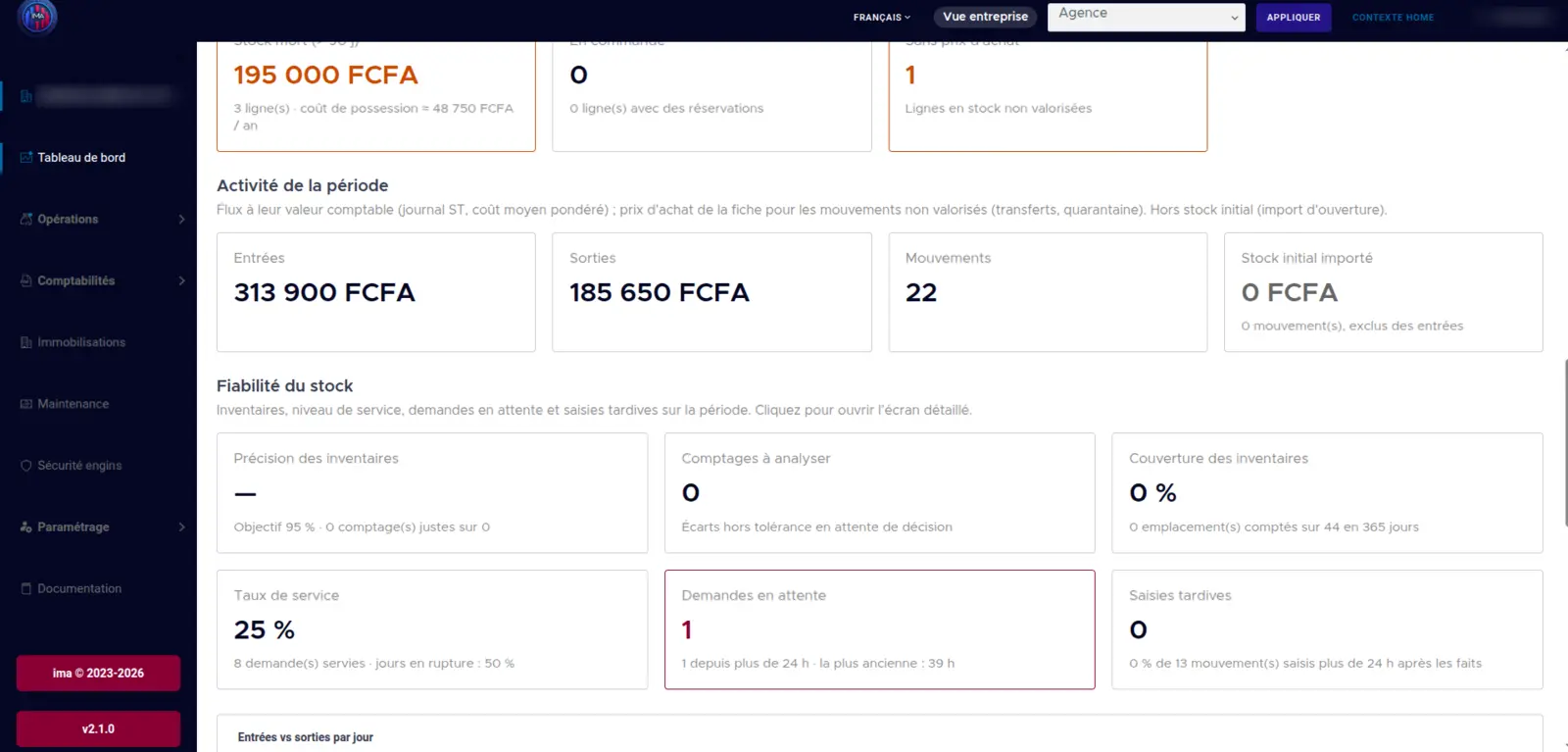
Stock reliability

Stock reliability

Stock in and out, inventory accuracy, service rate and requests awaiting approval.

IMA
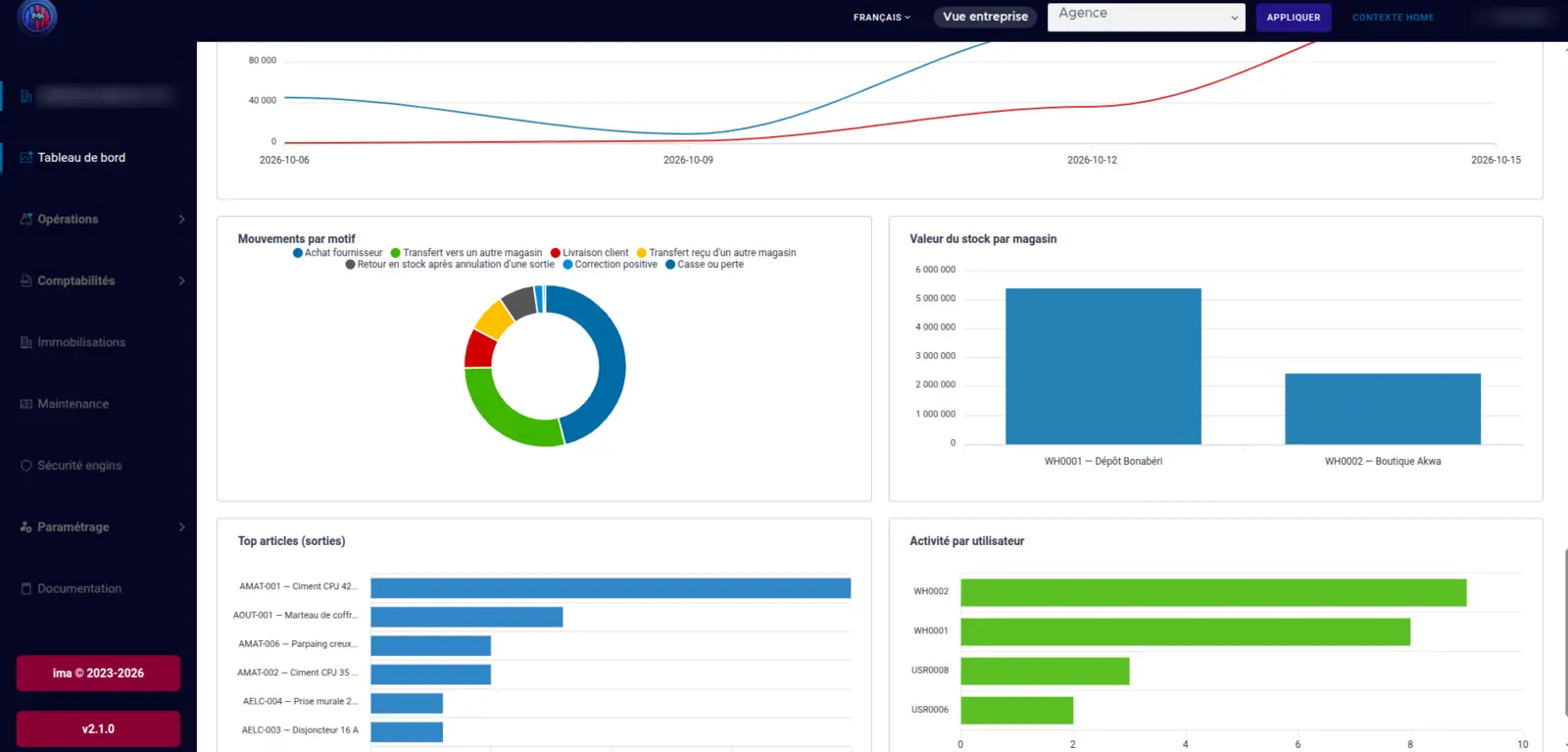
Charts

Charts

Movements by reason, stock value by store, best-selling items and activity by user.

🏷️ Barcodes and scanners

Scan instead of typing

IMA reads manufacturers' barcodes and prints its own labels. Fewer typing mistakes, faster entries in the warehouse and at the counter.

  • USB scanner or cameraScan with a handheld reader plugged into the computer, or with the PC or phone camera.
  • Manufacturer EAN / GTIN codesThe code printed on the packaging is recognised and its check digit verified: a misread code is rejected.
  • Unknown code? Link itA barcode never seen before can be attached to the item in one step. The code history is kept.
  • QR + Code 128 labelsPrint PDF labels for items, storage zones, fixed assets and equipment.
  • Instant searchFind an item by reference, barcode or name, anywhere in the app.

🚚 Goods transfers

From the port to the store, from one store to another

Every transfer goes through a transfer note (BDL). Stock leaves the origin store on dispatch, stays visible "in transit", then enters the destination store on receipt.

  1. 1

    Transfer note

    Items and quantities, printed as PDF

  2. 2

    Dispatch

    Stock leaves the origin store

  3. 3

    In transit

    Value and number of transfers tracked

  4. 4

    Receipt

    Stock enters the destination store, shortfalls flagged

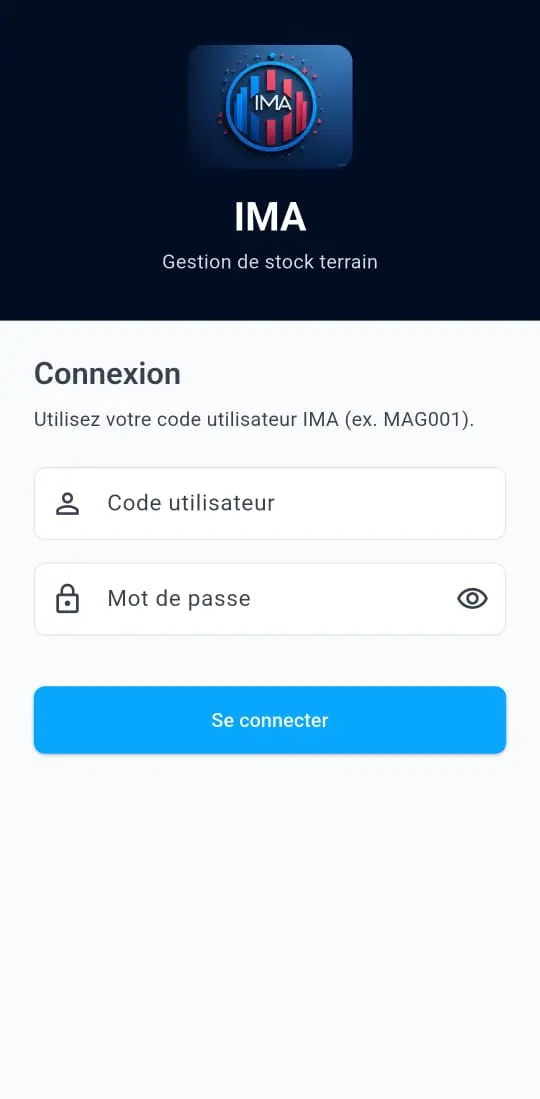
IMA mobile app login screen — field stock management

📱 Field mobile app

Stock is managed in the warehouse, not at the office

With the IMA mobile app, storekeepers and managers record movements as they happen, straight from their phone.

  • Barcode and QR scanningFind an item, a zone or a piece of equipment with the phone camera.
  • Stock in and out on siteThe storekeeper records every movement in the warehouse, in sync with reality.
  • Request approvalRelease requests are approved or rejected on the phone, with the voucher number.
  • Stock counts on mobileCount tasks and counted quantities entered right at the shelf.
  • Supplier receiptsRecord the delivery and take a photo of the delivery note.
  • After-sales and safetyTechnician work orders with photos, equipment inspection by scan.
  • DashboardsManagers follow branch or company KPIs while on the move.
  • Offline and secureWork without network then sync, fingerprint or Face ID, notifications.

Complete feature set

Everything IMA does

One tool for stock, logistics, sales, accounting, after-sales and safety. Turn on only what you need.

Stock and stores

The heart of IMA: know at any time what you have, where, and who moved it.

  • Real-time stock levels by company, branch, store and zone
  • Stock in and out with a reason: purchase, sale, transfer, breakage, return, adjustment
  • Release requests approved by the storekeeper with a voucher number
  • No deletion: cancellations are traced and reversed
  • Full history: who, what, when, in which store
  • Reorder alerts (minimum stock) and overstock alerts (maximum)
  • Dead stock with estimated holding cost
  • Misplaced heavy loads detected, with the weight to move
  • Bulk import of stock movements from Excel

Barcodes, QR codes and labels

Identify every item, zone and piece of equipment without errors.

  • Reads manufacturer EAN / GTIN codes (8 to 14 digits) with check-digit control
  • USB handheld scanner, computer camera or phone camera
  • Link an unknown barcode to an item, with history
  • QR + Code 128 PDF labels: items, zones, fixed assets, equipment
  • Maximum floor stacking height printed on item labels

Transfers and logistics

Track goods between the port, warehouses and points of sale.

  • Transfer notes port → store and between stores
  • Dispatch, then receipt at the destination store
  • Goods in transit visible on the dashboard
  • Shortfall handling when not everything arrived
  • Import flow (receipt at the port) and local flow (direct receipt in store)
  • Transfer notes printed as PDF

Purchasing and receiving

Buy at the right price, check every delivery, rate your suppliers.

  • Purchase orders with Incoterms 2020 and payment terms
  • Suppliers per item: negotiated price, minimum order, pack size, lead time
  • Buying advice: rounded quantity, expired price, cheaper alternative
  • Line-by-line receipt with variance tolerance
  • Photo or scan of the supplier delivery note required
  • Rejected goods placed in a quarantine zone, then returned to supplier
  • Supplier rating: on-time and complete deliveries, rejections, actual lead time…
  • General terms printed on purchase orders (English version for imports)

Stock counts

Regular, reliable counts without stopping operations.

  • Blind counting: the counter does not see the expected stock
  • Count tolerance per item or per category
  • Out-of-tolerance variance: reviewed before any stock correction
  • Cycle count planning by ABC method (A 12 times/year, B 4, C 2) or by category
  • ABC ranking and daily counting workload
  • Indicators: inventory accuracy and coverage
  • Count tasks on the mobile app

Sales, invoicing and cash

From quote to payment, and every franc tracked.

  • Counter sales with automatic stock release
  • Quote → delivery note → invoice → payment, no re-typing
  • Printed receipts, PDF documents with your company logo
  • Supplier invoices from a received order, and supplier payments
  • Receivables and overdue payments by age (1–30, 31–60, 61–90, 90+ days)
  • Cash position: till, bank, mobile money, cheques to deposit
  • VAT calculation and sales reporting

SYSCOHADA accounting

Accounting kept up to date, ready for closing.

  • SYSCOHADA chart of accounts
  • Entries generated automatically by sales, purchases and stock movements
  • Journal, summary journals and manual entries
  • General ledger, trial balance, balance sheet and income statement
  • Monthly closing and year-end
  • Customer provisions, depreciation, stock variation and adjustments

Fixed assets

Your long-term assets register and depreciation.

  • Fixed asset register by category
  • Created from a purchase order or supplier invoice
  • Put into service, depreciation calculated and posted
  • Disposal or scrapping
  • QR labels and mobile lookup by scan
  • Fixed asset schedule and export

Maintenance and after-sales

Equipment sold to your customers, tracked down to the repair.

  • Customer installed base: equipment, site, serial number
  • Maintenance contracts
  • Work orders with photos and spare parts taken from stock
  • Maintenance history by equipment and by item
  • After-sales dashboard
  • Technician app: my work orders, equipment QR scan
  • Import of the existing installed base (CSV)

Material handling safety

Inspected equipment and certified drivers.

  • Register of handling equipment with QR label
  • Start-of-shift inspection by scanning the machine on mobile
  • Operators and certifications per equipment type (3 years max)
  • Reporting of accidents and near misses
  • Risk analyses and action plans
  • Dashboard: equipment out of service, accidents over the last 12 months

Dashboards and management

The right figures to decide, from the store to the group.

  • Group, company and branch dashboards
  • Sales, margin, cash, receivables and payables
  • Stock value, stock-outs, below minimum, overstock, dead stock
  • Reliability: inventory accuracy, service rate, late entries
  • Charts by day, reason, store and user
  • Filters by period and store, PDF export

Organisation, permissions and security

Built for SMEs as well as multi-country groups.

  • Multi-country, multi-company, branches, stores and zones
  • Roles: group management, administrator, branch manager, store manager, storekeeper, cashier, sales manager, technician
  • Each user only sees their own scope
  • Bulk import of items and users (Excel)
  • App available in French, English and Spanish
  • Works alongside Sage Saari for companies already using it
  • User guides built into the app

From quote to payment, no re-typing

Each document builds on the previous one. All are exported as PDF with your company logo.

  1. 1

    Quote

    A clear offer for your customer

  2. 2

    Delivery note

    The stock release is recorded

  3. 3

    Invoice

    Generated in one click

  4. 4

    Payment

    Printed receipt, customer balance updated

Who is it for?

  • Shops and supermarkets
  • Hardware stores
  • Pharmacies
  • Wholesalers and distributors
  • Spare parts dealers
  • Multi-company groups

See IMA with your own products

Free demo, no commitment, online or on site.